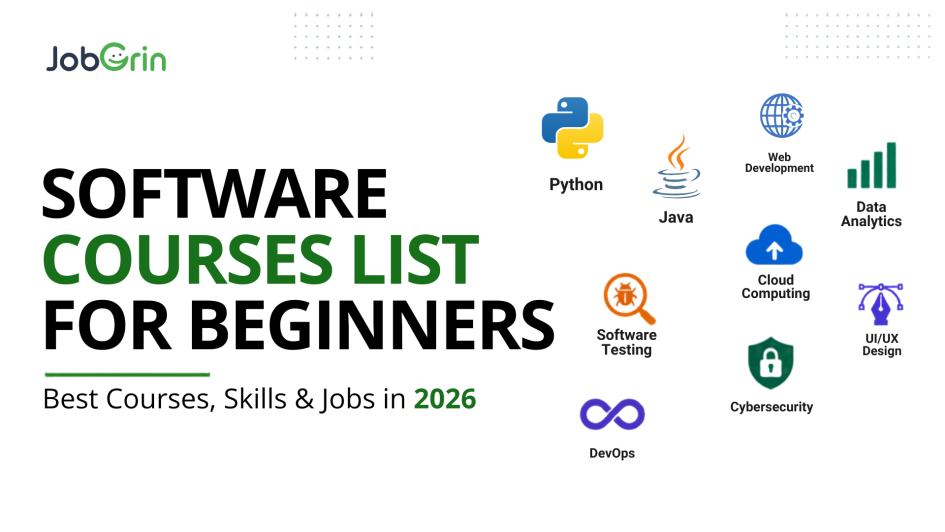
Starting a career in technology can feel confusing.
There are hundreds of software courses, programming languages, certifications and career paths to choose from. You may be wondering:
Should I learn Python or Java? Is web development better than data analytics? Do I need coding experience? Which course can help me get a job? What should I learn after completing the course?
The answer is that there is no single best software course list for beginner.
The right choice depends on your interests, current skills and the type of job you want.
This guide compares popular software courses for beginners, what you can learn from them, which careers they can lead to, what skills employers commonly expect, and how to move from learning to job searching.
Quick Answer: Which Software Course Is Best for Beginners?
If you’re starting from zero, use your career goal as your starting point:
| Your Goal | Good Starting Point | Example Entry-Level Roles |
| Developing/Creating Software | Python / Java | Software Developer |
| Build websites | Web Development | Web Developer |
| Build frontend applications | JavaScript / React | Frontend Developer |
| Data Analysis | Data Analytics | Data Analyst |
| Build AI applications | Python → Data → AI | AI/ML roles |
| Work with cloud technology | Linux → Cloud | Cloud/Cloud Support |
| Enter cybersecurity | Networking → Linux → Security | Security/IT roles |
| Test software | Software Testing | QA Tester |
| Design digital products | UI/UX + Figma | UI/UX Designer |
| Build mobile apps | Android / Flutter / React Native | Mobile Developer |
If you’re completely new to programming, don’t try to learn everything at once. Pick one path, learn the fundamentals, build projects and then start applying for relevant jobs at JobGrin.
Is a Certificate Enough to Get a Software Job?
Usually, you should not depend on a certificate alone.
A stronger beginner profile combines:
Certificate
Practical skills
Projects
Resume
Interview preparation
Relevant applications
Your projects give employers evidence that you can actually apply what you learned.
Software Courses for Beginners: At a Glance
Before choosing a course, compare the career paths rather than just looking at course names.
| Course | Coding Required? | Difficulty | Good For | Possible Jobs |
| Python | Yes | Beginner-friendly | Programming, backend, automation, data | Python Developer, Software Developer |
| Java | Yes | Moderate | Enterprise software | Java Developer |
| Web Development | Yes | Beginner–Moderate | Websites and web apps | Web Developer |
| JavaScript | Yes | Beginner–Moderate | Frontend/full stack | Frontend Developer |
| Data Analytics | Some | Beginner–Moderate | Data and business analysis | Data Analyst |
| UI/UX Design | No/Low | Beginner-friendly | Creative learners | UI/UX Designer |
| Software Testing | Some | Beginner-friendly | QA and testing | QA Tester |
| Cloud Computing | Some | Moderate | Infrastructure | Cloud/Support roles |
| Cybersecurity | Some | Moderate | Security | Security Analyst |
| DevOps | Yes/Technical | Advanced for beginners | Development + infrastructure | DevOps Engineer |
Important: “Beginner-friendly” does not mean “job-ready immediately.” Most technology careers require practice, projects and additional skills beyond the first course.
1. Python Course for Beginners
Python is one of the most approachable programming languages for beginners because its syntax is relatively easy to read and it can be used across several technology careers.
A beginner Python learning path can include:
- Python fundamentals
- Variables and data types
- Conditions and loops
- Functions
- Object-oriented programming
- File handling
- APIs
- SQL
- Git/GitHub
- Django or Flask/FastAPI
- Data libraries such as Pandas
Who should learn Python?
Python can be a good starting point if you want to explore:
- Software development
- Backend development
- Automation
- Data analytics
- AI/ML
- Scripting
Possible career paths in Python
Python → SQL → Git → Backend framework → Projects
Possible roles in Python include:
- Python Developer
- Backend Developer
- Software Developer
- Automation Developer
- Junior Data-related roles
What are employers asking for?
Actual JobGrin listings show Python roles commonly combining Python with backend development, databases, Django/Flask, Git and problem-solving.
So learning only Python syntax should not be your final goal.
2. Java Course for Beginners
Java remains one of the widely used programming languages for enterprise applications, backend systems, web applications and large-scale software development. It is especially relevant for learners who want to build a career in software engineering or backend development.
What Should You Learn in a Java Course?
A beginner-to-job-ready Java learning path can include:
- Java fundamentals and syntax
- Variables, data types and operators
- Conditions and loops
- Functions and methods
- Object-oriented programming (OOP)
- Classes, objects and inheritance
- Interfaces and abstraction
- Collections and generics
- Exception handling
- File handling
- SQL and databases
- JDBC
- REST APIs
- Spring and Spring Boot
- Git/GitHub
- Unit testing
- Basic problem-solving and DSA
Who Should Learn Java?
Java can be a good choice if you want to explore:
- Software development
- Backend development
- Enterprise applications
- Web application development
- API development
- Android development
- Large-scale application development
It can also be a strong option for students who want to build a long-term software engineering career and are comfortable learning programming concepts in depth
Possible career paths in Java:
- Java Developer
- Backend Developer
- Software Engineer
- Junior Java Developer
Recommended learning path
Java → OOP → DSA → SQL → Spring Boot → REST APIs → Projects
What are employers asking for?
Learning only Java syntax is usually not enough for a development job. Employers may also look for skills such as Spring Boot, SQL, REST APIs, databases, Git and problem-solving.
Build a few practical projects using these skills so your resume demonstrates what you can actually develop.
3. Web Development Course
If your goal is to build websites and web applications, web development is one of the clearest paths for beginners to enter the technology industry. It allows you to start with basic website development and gradually move into frontend, backend or full-stack development.
What Should You Learn?
Start with the fundamentals:
HTML → CSS → JavaScript
Then progress toward:
JavaScript → React → Git/GitHub → APIs → Backend → Database
Depending on your career goal, you can later specialise in:
- Frontend development
- Backend development
- Full-stack development
Who Should Learn Web Development?
Web development can be a good option if you enjoy:
- Building websites and applications
- Working with code and visual interfaces
- Creating interactive user experiences
- Solving technical problems
- Building projects that you can showcase in a portfolio
Possible Career Paths for Web Development
A typical beginner roadmap can look like:
HTML/CSS → JavaScript → React → Git → APIs → Backend → Projects
You don’t need to master every technology at once. Start with the fundamentals and add new technologies as you progress.
Possible Jobs:
- Web Developer
- Frontend Developer
- Backend Developer
- Full Stack Developer
- Junior Software Developer
What Should You Build?
Don’t stop after watching tutorials or completing a course. Build practical projects that demonstrate your skills.
For example:
- Personal portfolio
- Responsive landing page
- Job board
- E-commerce interface
- Full-stack web application
These projects can also give you something concrete to showcase on your resume when you start applying for jobs.
4. Data Analytics Course
Data analytics is a strong option for people who enjoy working with numbers, information and business problems. Instead of building software applications, data analysts use data to identify trends, answer business questions and helporganisations make better decisions.
What Should You Learn?
A beginner-friendly learning path can include:
Excel → SQL → Data Visualization → Power BI/Tableau → Python → Projects
Key skills to develop include:
- Excel
- SQL
- Data cleaning
- Data visualization
- Power BI or Tableau
- Basic statistics
- Python fundamentals
- Reporting and dashboard creation
Who Should Learn Data Analytics?
Data analytics can be a good starting point if you enjoy:
- Working with numbers and data
- Finding patterns and trends
- Creating reports and dashboards
- Solving business problems
- Using technology without focusing entirely on software development
Possible Career Paths in Data Aalytics
A typical beginner roadmap can look like:
Excel → SQL → Power BI/Tableau → Statistics → Python → Projects
Start with Excel and SQL fundamentals before moving into more advanced analytics tools and programming.
Possible Jobs
- Data Analyst
- Business Analyst
- Reporting Analyst
- BI Analyst
- Junior Data Analyst
What Should You Build?
Practical projects can help demonstrate your ability to work with real-world data.
For example:
- Sales performance dashboard
- Customer analysis report
- Employee analytics dashboard
- E-commerce data analysis
- Business performance dashboard
Your projects should demonstrate that you can clean data, analyse it, create meaningful visualisations and explain the insights you found.
Best For
Data analytics is particularly suitable for people who want to work with technology and data but don’t necessarily want to become full-time software developers.
5. UI/UX Design
Not every technology career requires heavy programming. If you enjoy design, visual thinking and understanding how people interact with digital products, UI/UX design can be an alternative technology career.
UI/UX designers focus on creating digital experiences that are visually clear, easy to use and useful for the people using them.
What Should You Learn?
A beginner-friendly UI/UX learning path can include:
- Design principles
- User research
- User flows
- Wireframing
- Prototyping
- Figma
- Design systems
- Usability
- Responsive design
- Portfolio development
Who Should Learn UI/UX?
UI/UX can be a good option if you enjoy:
- Designing digital interfaces
- Visual problem-solving
- Understanding user behaviour
- Creating websites and app experiences
- Improving how people interact with products
You don’t need to become an expert programmer, although having a basic understanding of HTML, CSS and how websites work can be useful.
Possible Career Paths
A typical beginner roadmap can look like:
Design Fundamentals → Figma → Wireframes → Prototypes → Design Systems → Projects → Portfolio
Your portfolio is particularly important because employers and clients often want to see examples of how you approach design problems and create solutions.
Possible Jobs
- UI Designer
- UX Designer
- Product Designer
- UI/UX Designer
- UI/UX Intern
What Should You Build?
Instead of only completing design tutorials, create projects that demonstrate your design process.
For example:
- Mobile app interface
- Job search website
- E-commerce experience
- Dashboard design
- Complete website redesign
For each project, show the problem, your design decisions, wireframes, final interface and prototype where possible.
6. Software Testing Course
Software testing is another potential entry point into technology, especially for beginners who are interested in finding problems, checking how applications work and improving software quality.
Testing involves checking software against expected behaviour, identifying bugs and making sure applications work reliably before they reach users.
What Should You Learn?
A beginner-friendly testing roadmap can include:
Testing Fundamentals → Manual Testing → Test Cases → Bug Reporting → SQL → API Testing → Automation
Important skills and tools include:
- Software testing fundamentals
- Manual testing
- Test case creation
- Bug reporting
- Regression testing
- SQL basics
- API testing
- Postman
- Selenium
- Playwright
- Basic automation frameworks
You don’t need to start with automation immediately. Build a strong understanding of manual testing and testing concepts first, then move toward automation.
Who Should Learn Software Testing?
Software testing can be a good option if you enjoy:
- Finding problems and bugs
- Checking whether software works correctly
- Analysing different scenarios
- Understanding how applications work
- Detail-oriented and structured problem-solving
Possible Career Paths
A typical learning path can look like:
Testing Fundamentals → Manual Testing → SQL → API Testing → Automation → Projects
As you gain experience, you can specialise in areas such as automation testing, API testing, performance testing or other QA roles.
Possible Jobs
- QA Tester
- Software Tester
- QA Analyst
- Test Engineer
- Automation Tester
What Should You Practice?
Don’t rely only on theory. Practice testing real websites or applications and document the issues you find.
You can create:
- Test cases for a website
- Bug reports
- API test collections
- Regression test scenarios
- Automated test scripts
Practical testing experience can help demonstrate that you understand how to identify, document and verify software issues.
7. Cloud Computing
Cloud computing can be a strong career path for people interested in how applications, websites and digital services are hosted, managed and scaled. However, complete beginners should avoid jumping directly into advanced cloud architecture.
A good starting point is to understand the fundamentals behind cloud infrastructure first.
What Should You Learn?
A beginner-friendly learning path can include:
Computer Fundamentals → Networking → Linux → Cloud Fundamentals → AWS/Azure/GCP
Then you can progress into areas such as:
- Cloud administration
- Infrastructure management
- Storage and databases
- Virtual machines
- Networking
- DevOps
- Cloud security
- Automation
Who Should Learn Cloud Computing?
Cloud computing can be a good option if you enjoy:
- Understanding how systems work
- Servers and infrastructure
- Networking
- Troubleshooting technical problems
- Working with cloud platforms and automation
You don’t need to learn every cloud platform. Start with one platform, such as AWS, Azure or Google Cloud, and build a solid understanding of its core services.
Possible Career Paths for cloud computing
A typical beginner roadmap can look like:
Networking → Linux → Cloud Fundamentals → Cloud Platform → Projects → Specialisation
Once you understand the basics, you can move toward cloud administration, DevOps, security or infrastructure engineering.
Possible Jobs
- Cloud Support Associate
- Cloud Administrator
- Cloud Engineer
- Infrastructure Engineer
- Junior DevOps Engineer
What Should You Practice?
Instead of only completing cloud certifications, try building small practical projects such as:
- Deploying a website on a cloud platform
- Setting up a virtual server
- Configuring cloud storage
- Creating a basic cloud database
- Setting up monitoring and access controls
Practical experience can help you understand how cloud services work beyond what you learn from a certification.
8. Cybersecurity
Cybersecurity is another popular technology career for people interested in protecting systems, networks, applications and data from security threats. However, complete beginners should first understand how computers and networks work before moving into advanced security concepts.
What Should You Learn?
A beginner-friendly cybersecurity roadmap can include:
Networking → Linux → Security Fundamentals → Security Tools → Practical Labs
Important areas to explore include:
- Networking fundamentals
- Linux
- Operating systems
- Security fundamentals
- Authentication and access control
- Vulnerability management
- Security monitoring
- Security tools
- Basic scripting
- Practical security labs
Who Should Learn Cybersecurity?
Cybersecurity can be a good option if you enjoy:
- Understanding how computer systems work
- Networks and infrastructure
- Finding and analysing security weaknesses
- Problem-solving
- Investigating unusual activity
- Learning how to protect applications and data
Possible Career Paths for Cybersecurity
After learning the fundamentals, you can explore areas such as:
- Security operations
- Network security
- Vulnerability management
- Application security
- Cloud security
A typical learning path can look like:
Networking → Linux → Security Fundamentals → Labs → Security Tools → Specialisation
Possible Jobs
- Security Analyst
- SOC Analyst
- Cybersecurity Analyst
- Security Engineer
- Junior Security Specialist
What Should You Practice?
Cybersecurity is highly practical, so don’t rely only on courses or certifications. Use legal practice environments and labs to develop hands-on skills.
You can practice:
- Network analysis
- Linux security fundamentals
- Vulnerability assessment
- Log analysis
- Security monitoring
- Basic incident-response scenarios
Don’t choose cybersecurity simply because you hear that it is a “high-paying field.” Choose it if you’re genuinely interested in understanding systems, networks and security.
9. DevOps
DevOps combines software development, infrastructure and automation to help teams build, deploy and manage applications more efficiently. It is a strong career path for people who enjoy working with both development and technical infrastructure.
However, DevOps involves several technologies, so beginners should build foundational knowledge before moving into advanced tools.
What Should You Learn?
A beginner-friendly DevOps learning path can include:
Linux → Networking → Git → Cloud → Docker → CI/CD → Kubernetes
You can gradually develop skills in:
- Linux
- Networking fundamentals
- Git/GitHub
- Cloud platforms
- Docker
- CI/CD pipelines
- Infrastructure management
- Monitoring
- Automation
- Kubernetes
You don’t need to learn every DevOps tool at once. Understand the fundamentals first, then add tools as you progress.
Who Should Learn DevOps?
DevOps can be a good option if you enjoy:
- Working with servers and infrastructure
- Automation
- Cloud technology
- Troubleshooting technical problems
- Understanding how applications are deployed
- Working with development and operations
Possible Career Paths DevOps Engineer
A typical learning path can look like:
Linux → Networking → Git → Cloud → Docker → CI/CD → Kubernetes → Projects
Once you have a strong foundation, you can specialise in cloud infrastructure, platform engineering, automation or DevOps.
Possible Jobs
- DevOps Engineer
- Cloud Engineer
- Infrastructure Engineer
- Platform Engineer
- Junior DevOps Engineer
What Should You Practice?
Build practical projects instead of learning tools only through theory.
For example:
- Deploy an application to a cloud server
- Create a Dockerised application
- Build a basic CI/CD pipeline
- Set up application monitoring
- Deploy an application using Kubernetes
For someone with absolutely no technology background, DevOps is usually not the first course I’d recommend. Start with programming, Linux, networking or cloud fundamentals and gradually move toward DevOps.
What Skills Do Employers Actually Want?
This is where choosing a course becomes more important than choosing a certificate.
A course may teach you a programming language, but employers may expect additional skills.
For example, current JobGrin Python jobs show requirements extending beyond Python itself, including backend frameworks, databases, Git, APIs, Docker and other development tools depending on the role.
That means:
Don’t ask only “Which course should I take?”
Ask:
“What skills are required for the job I want?”
Then work backwards
Create Your Free JobGrin Account
Once you’re ready to start exploring opportunities:
Create your account
- Build your profile
- Add your skills
- Upload/create your resume
- Search for jobs
- Apply
- Track your opportunities
JobGrin’s job-seeker journey is designed around creating an account, searching jobs and getting hired, with resume creation and job alerts available as part of the job-seeker experience.
Ready to start your job search?
Create Your Free JobGrin Account
Common Beginner Questions
Can I learn software development without a technical background?
Yes. You can start with beginner-level programming or technology courses, but you should expect to spend time learning fundamentals and practicing.
Which software course is easiest for beginners?
There isn’t one universal answer. Python, basic web development and some data-analysis paths can be approachable starting points, depending on your interests and background.
Which software course is best for freshers?
Choose based on the job you want rather than simply choosing the course with the highest salary claims.
Can I get a software job after a short course?
A short course can build foundational skills, but getting hired usually requires practical ability, projects, a good resume and interview preparation as well.
Is Python good for beginners?
Python can be a good starting language because it is used across software development, automation, data and AI-related paths.
Should I learn Python or Java first?
Choose based on your target career. Python can be useful across several areas, while Java is widely used in enterprise and backend development.
Do I need a degree for software jobs?
Requirements vary by employer and role. Some jobs specify a degree while others place greater emphasis on practical skills and experience.
Is a certificate enough?
Usually, you should combine certification with practical projects and demonstrable skills.
How do I find jobs after completing a course?
Create a strong resume, complete a few practical projects and start applying for roles that match your skills. Don’t wait until you feel 100% ready.
Leave a Reply