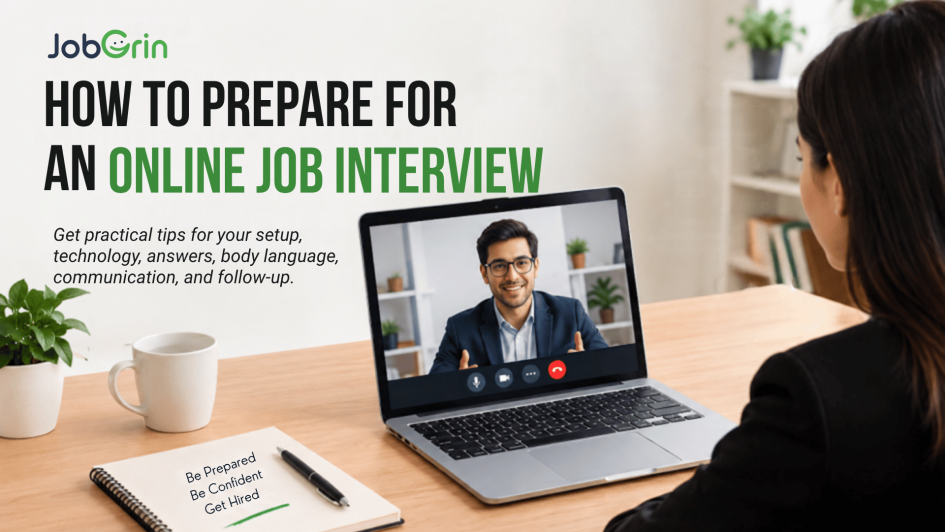
Online job interviews have become a normal part of the hiring process. Instead of travelling to an office, candidates now interview through video platforms from their homes, coworking spaces, or other suitable locations.
An online job interview can be convenient, but it comes with its own challenges. Your interviewer isn’t only evaluating your answers. They may also notice:
- Your communication
- Your preparation
- Your body language
- Your professionalism
- Your technical setup
- Your ability to communicate clearly
- Your overall confidence
A candidate can give excellent answers and still create a poor impression because of avoidable problems such as a weak internet connection, poor lighting, background noise, or joining the meeting late.
So, how do you prepare for an online job interview? The key is to prepare both professionally and technically. This guide explains how to prepare your device and environment, research the company, practice answers, handle the interview professionally, manage technical problems, and follow up afterward, with a full checklist you can run through before every call. For a broader look at interview preparation in general, see our interview preparation guide.
TL;DR: How to Prepare for an Online Interview
Before your online job interview:
- Research the company and job role.
- Read the job description carefully.
- Test your internet connection.
- Check your camera and microphone.
- Choose a quiet location.
- Make sure your background looks professional.
- Check your lighting.
- Keep your resume nearby.
- Prepare answers to common questions.
- Practice speaking on camera.
- Join the interview early.
- Dress professionally.
- Maintain good eye contact with the camera.
- Listen carefully before answering.
- Keep your phone on silent.
- Stay calm if technical problems occur.
- Ask relevant questions at the end.
- Send a professional follow-up message when appropriate.
A successful online interview requires the same preparation as an in-person interview, with a little extra attention to technology.
What Is an Online Job Interview?
An online job interview is an interview conducted remotely using video or audio communication technology. Depending on the employer, it may be conducted through a video-conferencing platform, a recruitment system, or another communication tool.
Online interviews can be:
- One-on-one interviews
- Panel interviews
- HR interviews
- Technical interviews
- Managerial interviews
- Screening interviews
- Final-round interviews
Some companies may also conduct multiple online interview rounds before inviting candidates for an in-person meeting.
Why Is Online Interview Preparation Important?
An online interview removes some of the advantages of meeting someone in person. For example, you cannot rely on:
- A firm handshake
- Physical presence
- Office surroundings
- In-person interaction
Instead, the interviewer mainly experiences you through your voice, face, communication, answers, and professionalism. That makes preparation particularly important. Technical problems can also distract from your answers; a few minutes spent checking your setup can prevent unnecessary problems during the interview.
Step 1: Research the Company
Before the interview, learn about the employer. Research:
- What the company does
- Its products or services
- Its industry
- Its target customers
- Its major locations
- The role you’re applying for
- Recent company developments when relevant
- The company’s website and professional presence
You don’t need to memorize everything. You should simply understand enough to explain: Why are you interested in this company?
Step 2: Understand the Job Description
Read the job description carefully. Identify:
- Required skills
- Preferred skills
- Responsibilities
- Experience requirements
- Education requirements
- Tools or technologies
- Expected outcomes
Then compare the requirements with your experience. For each important requirement, think of an example that demonstrates your ability.
For example:
- Requirement: Team management. Your example: Led a college project team of five members.
- Requirement: Customer communication. Your example: Handled customer queries during an internship.
This makes your answers more specific.
Step 3: Prepare Your Introduction
One of the most common interview questions is: “Tell me about yourself.”
Prepare a short, structured introduction. A simple structure is:
- Present – What are you doing now?
- Past – What relevant education, experience, or projects do you have?
- Future – Why are you interested in this opportunity?
For example: “I’m a recent commerce graduate with an interest in digital marketing. During college, I worked on several projects involving content and social media, which helped me develop an interest in marketing. I’m now looking for an entry-level opportunity where I can build practical experience and contribute to a marketing team.”
Keep your introduction relevant to the job.
Step 4: Prepare for Common Online Interview Questions
You should expect questions about your background, education, experience, skills, strengths, weaknesses, career goals, the job, the company, and your salary expectations.
Common questions include:
“Why do you want this job?” – Explain why the role matches your skills and career goals.
“Why should we hire you?” – Connect your skills and experience to the company’s requirements. For structured examples, see 15 Supreme Answers to “Why Should We Hire You”.
“What are your strengths?” – Choose strengths relevant to the role and support them with examples.
“What is your weakness?” – Mention a genuine area you’re working to improve and explain what you’re doing about it.
“Where do you see yourself in five years?” – Focus on professional development rather than giving an overly rigid prediction.
Step 5: Prepare for Behavioral Questions
Behavioral questions ask about situations you’ve experienced. Examples include:
- Tell me about a difficult problem you solved.
- Tell me about a time you worked in a team.
- Describe a conflict you handled.
- Tell me about a mistake you made.
- Describe a situation where you had to meet a tight deadline.
A useful framework is the STAR method – Situation, Task, Action, Result. Read our full guide: The STAR Method for Behavioral Interview Questions.
Step 6: Test Your Internet Connection
Your internet connection is one of the most important technical factors. Before the interview:
- Test your connection.
- Avoid unreliable networks where possible.
- Keep your device connected to power.
- Have a backup connection available if possible.
- Avoid unnecessary downloads or streaming.
- Close applications that may consume bandwidth.
If your internet connection drops during the interview, don’t panic. Reconnect and politely explain what happened.
Step 7: Test Your Camera
Open the video application before the interview and check camera angle, image quality, position, lighting, and background. Position your camera around eye level. Avoid placing the camera too low or too high – you want the interviewer to see your face clearly without an awkward angle.
Step 8: Check Your Microphone
Your interviewer needs to hear you clearly. Before joining:
- Test the microphone.
- Check your headset if you’re using one.
- Make sure your input device is correct.
- Test your audio.
- Reduce background noise.
If you’re using a laptop microphone, sit close enough for your voice to be clear.
Step 9: Choose a Quiet Location
Find a place where you can speak without interruption. Avoid crowded rooms, busy streets, loud televisions, construction noise, and constant background conversations. Tell people around you that you have an interview. Put your phone on silent. If you have pets, children, roommates, or family members nearby, try to arrange your environment in advance.
Step 10: Choose a Professional Background
Your background doesn’t need to look expensive. It simply needs to be clean, uncluttered, well organized, and appropriate for a professional conversation. A plain wall works perfectly well. If you use a virtual background, make sure it doesn’t create distracting visual effects around your face or hair – a natural, clean background is often the safest choice.
Step 11: Check Your Lighting
Good lighting makes it easier for the interviewer to see you. Light should be in front of you. Avoid having a bright window directly behind you because it can make your face appear dark. Before the interview, open your camera and check how you look.
Step 12: Position Your Camera Correctly
Try to keep your camera at eye level, stable, centered, and at a comfortable distance. Avoid holding your laptop or phone in your hand during the interview — a stable camera looks more professional.
Step 13: Charge Your Device
Don’t start an important interview with a low battery. Charge your laptop, keep the charger nearby, and check your phone if it is being used as a backup.
Step 14: Install and Test the Interview Platform
If the employer has provided a meeting link, don’t wait until the interview begins to test it. Check whether the link opens, whether the application is installed, whether your microphone and camera work, and whether your account is configured correctly. If the interview uses an unfamiliar platform, test it beforehand – our Zoom interview tips cover the most common platform in use today.
Step 15: Join Early
Don’t join exactly at the scheduled time. Aim to be ready around 5–10 minutes early. This gives you time to handle login issues, camera problems, microphone issues, internet problems, and meeting-link problems. Joining early also helps you settle down before the conversation begins.
Step 16: Dress Professionally
Treat an online interview like an actual professional interview. Choose clothing that is clean, professional, appropriate for the role, and comfortable. Don’t assume that casual clothing is acceptable simply because you’re interviewing from home. See our full interview dress code guide for specifics by role and industry.
Step 17: Maintain Good Eye Contact
Online eye contact works differently from face-to-face interviews. When speaking, occasionally look toward the camera rather than constantly looking at your own image. Looking at the camera can make your communication feel more direct. You don’t need to stare at it continuously – natural movement is fine.
Step 18: Sit With Good Posture
Your body language still matters during a virtual interview. Sit upright, keep your shoulders relaxed, avoid excessive movement, nod naturally, and maintain an attentive expression. Good posture can also help you feel more confident. For a complete breakdown, read 27 Body Language Tips for Your Job Interview.
Step 19: Speak Clearly
Online calls can sometimes reduce audio clarity. Speak clearly, at a moderate pace, loud enough to hear, without rushing. Avoid speaking too quickly because you’re nervous. Pause briefly before answering difficult questions – it’s perfectly acceptable to take a moment to think.
Step 20: Don’t Read Your Answers
It’s fine to keep your resume or a few notes nearby. But don’t read complete answers from a script. Interviewers want to have a conversation with you. If you’re constantly looking away to read something, your responses may sound unnatural. Use notes only as reminders.
What Should You Keep Beside You During an Online Interview?
Keep the following nearby: resume, job description, notebook, pen, interviewer’s name, company information, questions you want to ask, charger, and a backup internet option if available. Avoid keeping unnecessary distractions around you.
Should You Keep Your Resume Open During the Interview?
Yes, if it helps you remember specific details. However, don’t continuously read it. You should know your resume well enough to discuss your education, experience, projects, skills, achievements, and responsibilities. Anything written on your resume can become a potential interview question.
Prepare Your Resume Before the Interview
Review your resume carefully. Make sure you can explain every major point. For example, if your resume says “Increased website traffic by 40%,” be prepared to explain how you measured it, what actions you took, what tools you used, over what period, and what your specific contribution was. Never add achievements you cannot explain. For resume preparation help, read Tips for Crafting a Winning Resume.
Practice Before the Interview
One of the best ways to improve is to practice. You can practice in front of a mirror, record yourself, practice with a friend, conduct a mock interview, and answer questions on camera. Pay attention to speaking speed, clarity, filler words, facial expressions, body language, and answer length. You don’t need to memorize every answer – practice communicating your ideas naturally.
How Long Should Your Answers Be?
There is no exact duration for every answer. As a general guideline:
- Simple Questions – Around 30–60 seconds may be enough.
- Experience Questions – Around 1-2 minutes can work well.
- Behavioral Questions – Use enough detail to explain the situation, action, and result without turning the answer into a long story.
If the interviewer wants more information, they’ll usually ask a follow-up question.
How to Handle Technical Problems During an Interview
Technical issues can happen even when you’ve prepared properly. Your internet may drop, your microphone may stop working, your camera may freeze, your application may crash, or your laptop may restart. Don’t panic.
If you can still communicate, say something simple such as: “I’m sorry, I seem to be experiencing a connection issue. Could you please give me a moment?”
If you disconnect, reconnect as quickly as possible. If necessary, use your backup connection or contact the interviewer using the available communication channel.
What If Your Camera Stops Working?
Don’t immediately assume the interview is over. You can say: “It looks like my camera has stopped working. I’m going to check it quickly. If needed, I’m happy to continue with audio.” Stay calm and focus on maintaining communication.
What If You Don’t Know the Answer?
You won’t know every answer. If you don’t know something, don’t invent an answer. You can say: “I haven’t worked with that directly yet, but I understand the basics and I’m interested in learning it,” or “I’m not familiar enough with that topic to give you an accurate answer.” Honesty is generally better than confidently providing incorrect information.
What If You Need More Time to Think?
It’s okay to pause. You can say: “That’s an interesting question. Let me think about that for a moment.” Then organize your thoughts. A short pause is usually better than immediately giving an unclear answer.
How to Answer Salary Expectations
Salary expectations are common in interviews. Research the role, location, experience requirements, and market before giving a number. You can provide a reasonable range rather than an arbitrary figure – for example: “Based on the role, my experience, and the responsibilities involved, I’m looking for a compensation range of ₹X to ₹Y, although I’m open to discussing the overall opportunity.” For a detailed walkthrough, see how to answer salary expectations.
What Questions Should You Ask the Interviewer?
An interview is also an opportunity for you to evaluate the employer. At the end, you may be asked: “Do you have any questions for us?” Avoid automatically saying no. Instead, ask relevant questions such as what success would look like in the first six months, what the main responsibilities are, what the team structure looks like, what the biggest challenges are, how performance is evaluated, and what the next steps are. Choose questions that haven’t already been answered. For more ideas, read Best Questions to Ask at the End of an Interview.
Online Interview Etiquette
Before the Interview: Join early. Test your equipment. Keep your resume ready. Silence notifications.
During the Interview: Listen carefully. Don’t interrupt unnecessarily. Maintain eye contact. Speak clearly. Stay attentive. Avoid checking your phone.
After the Interview: Thank the interviewer. Follow any instructions provided. Send a follow-up when appropriate.
Online Interview Mistakes to Avoid
- Joining Late – Technical problems are understandable, but avoidable lateness can look unprofessional.
- Not Testing Your Equipment – Don’t discover that your microphone doesn’t work after the interview begins.
- Using a Distracting Background – Your interviewer shouldn’t be focused on what’s happening behind you.
- Looking at Your Phone – Even if the interviewer cannot see the phone clearly, your attention may appear elsewhere.
- Reading From a Script – It makes answers sound unnatural.
- Speaking Too Quickly – Nervous candidates often rush. Slow down.
- Giving Very Long Answers – Answer the question directly.
- Criticizing Previous Employers – Keep your answers professional.
- Lying About Your Experience – Your claims may be tested later.
- Forgetting to Ask Questions – Good questions demonstrate preparation and interest.
Online Interview Tips for Freshers
If you’re a fresher, you may not have much professional experience. That’s okay. Focus on education, projects, internships, skills, certifications, academic achievements, volunteer work, and relevant extracurricular activities. When answering experience questions, you can use examples from college projects, internships, group assignments, student organizations, volunteer activities, or part-time work — your examples don’t always have to come from a full-time job. For more fresher-specific advice, read How to Get a Job as a Fresher With No Experience.
How to Prepare for a Technical Online Interview
If you’re interviewing for a technical role, preparation may include reviewing technical concepts, practicing coding problems where relevant, reviewing your projects, testing your development environment, preparing to explain technical decisions, revisiting your resume, and testing any required software. If the interview includes a coding assessment, confirm what tools or environment you’ll need beforehand. See our complete guide to technical interviews for what interviewers are actually evaluating.
How to Prepare for an HR Interview Online
HR interviews may focus more on communication, career goals, motivation, culture fit, salary expectations, availability, previous experience, and general behavioral questions. Prepare concise and honest answers. Your goal isn’t to sound perfect – your goal is to communicate clearly and professionally.
How to Prepare for a Panel Interview Online
In a panel interview, several interviewers may participate – HR, hiring manager, team leader, department head, technical interviewer. When answering, acknowledge the person who asked the question but also maintain awareness of the other interviewers. Don’t focus exclusively on one person throughout the entire conversation.
What to Do 24 Hours Before the Interview
Confirm the interview time. Check the meeting link. Test your camera, microphone, and internet. Prepare your clothes. Review your resume and the job description. Research the company. Prepare questions. Get enough rest. Avoid trying to learn everything about the company at the last minute.
What to Do 30 Minutes Before the Interview
Set up your workspace. Charge your device. Open the meeting application. Check your camera, microphone, and lighting. Silence notifications. Keep your resume and water nearby. Review your notes. Then give yourself a few minutes to relax.
What to Do 5 Minutes Before the Interview
At this point, everything should already be ready. Check your camera, microphone, internet, meeting link, background, lighting, and resume. Then join early if the platform allows it. Don’t spend the final few minutes trying to make major changes to your setup.
Online Interview Checklist
Use this checklist before every virtual interview.
Technology
- Internet tested
- Camera tested
- Microphone tested
- Headphones tested
- Device charged
- Charger nearby
- Backup internet available if possible
- Meeting application tested
Environment
- Quiet location
- Clean background
- Good lighting
- Comfortable seating
- Phone on silent
- Notifications disabled
Preparation
- Resume reviewed
- Job description reviewed
- Company researched
- Introduction prepared
- Common questions practiced
- Questions for interviewer prepared
Appearance
- Professional clothing
- Camera at eye level
- Face clearly visible
- Good posture
What to Do After an Online Interview
The interview doesn’t necessarily end when you leave the meeting. Take a few minutes to record questions you were asked, questions you struggled with, topics you answered well, areas you need to improve, and any information the interviewer provided. This helps you improve for future interviews.
Should You Send a Follow-Up Message?
A short professional follow-up can be appropriate. Thank the interviewer for their time and express continued interest in the opportunity. Don’t send multiple messages asking for an immediate decision. If the interviewer provided a timeline, follow it. For more on this, read How to Follow Up After a Job Interview.
How to Improve After a Failed Online Interview
If you don’t get selected, don’t automatically assume you performed badly. Review the interview objectively. Ask: Did I understand the questions? Were my answers clear? Did I provide specific examples? Did I speak too quickly? Did I research the company? Did I explain my experience properly? Did I ask useful questions? Were there technical problems? Then improve one or two specific areas before your next interview. Every interview can become practice for the next one.
Online Interview vs In-Person Interview
| Factor | Online Interview | In-Person Interview |
| Travel | Usually not required | Usually required |
| Technology | Important | Less important |
| Background | Visible | Office environment |
| Camera | Important | Not applicable |
| Body Language | Still important | Very important |
| Internet | Important | Usually irrelevant |
| Preparation | Professional + technical | Mainly professional |
The core interview skills remain similar. The biggest difference is the additional technical preparation required online.
15 Quick Online Interview Tips
If you remember nothing else, remember these: test your technology, join early, research the company, read the job description, review your resume, practice common questions, use a quiet location, keep your camera at eye level, check your lighting, dress professionally, look toward the camera while speaking, listen before answering, don’t read scripted responses, stay calm if something goes wrong, and ask thoughtful questions.
Frequently Asked Questions
How do I prepare for an online interview?
Research the company and role, prepare your answers, test your camera and microphone, check your internet connection, choose a quiet location, dress professionally, and practice speaking on camera.
What should I wear for an online interview?
Wear clean, professional clothing appropriate for the role. Don’t assume that working from home means the interview can be casual.
How early should I join an online interview?
Being ready around 5-10 minutes early gives you time to deal with technical problems and settle down.
What should I do if my internet stops working?
Stay calm, reconnect as quickly as possible, and use a backup connection if available. If necessary, contact the interviewer through the available communication channel.
Should I turn my camera on?
If the employer has requested a video interview, you should generally have your camera ready unless there is a technical or other legitimate issue.
What should my background look like?
Choose a clean, quiet, uncluttered environment. A simple natural background is usually sufficient.
How can I look confident during an online interview?
Maintain good posture, speak clearly, avoid rushing, look toward the camera while speaking, listen carefully, and practice beforehand.
Can I keep notes during an online interview?
Yes. Short notes, your resume, and the job description can be useful. However, avoid reading complete answers from a script.
What if I don’t know an interview answer?
Be honest. Explain what you know and, where appropriate, show that you’re willing and able to learn.
What questions should I ask at the end?
Ask about the role, expectations, team, challenges, performance evaluation, or next steps. Choose questions that are relevant and haven’t already been answered.
Are online interviews easier than in-person interviews?
Not necessarily. They eliminate travel but introduce technical and communication challenges. You still need to prepare seriously.
What should freshers focus on during online interviews?
Freshers should focus on communication, education, projects, internships, skills, willingness to learn, and relevant examples from college or other experiences.
Should I send a follow-up after an online interview?
A brief, professional follow-up thanking the interviewer and expressing interest can be appropriate, particularly when the hiring process doesn’t already specify another communication process.
Final Thoughts
An online job interview may take place through a screen, but it is still a professional interview. Treat it with the same seriousness you would give to an in-person meeting.
Research the company. Understand the job description. Prepare your answers. Review your resume. Practice speaking. Then make sure your technology and environment are ready.
The technical side matters, but don’t let it overshadow the most important part: your ability to communicate your skills, experience, and value to the employer.
You don’t need to give perfect answers. You need to be prepared, honest, clear, attentive, and professional. And if something goes wrong – a frozen camera, poor connection, or difficult question – don’t panic. Stay calm, communicate clearly, and continue.
With preparation and practice, online interviews can become much less intimidating. Prepare your setup. Prepare your answers. Prepare yourself. Then focus on having a genuine professional conversation with the interviewer.
Ready to put this into practice? Browse verified job openings on JobGrin and apply to roles that are actively interviewing – many with fast, fully remote hiring processes.
Leave a Reply